
I got to know that government & visa application portals have stricter file size limits than those university forms . When I was filling out an online visa application, the only option there was to upload any picture within 50KB. My photo which I compressed earlier around 80KB wasn't small enough though. I had to go through whole process again to compress it to even smaller size than before. If you are dealing with a 50KB limit, here is exactly what works.
Why 50KB is So Common for Government Forms
Government portals tend to have the strictest file size requirements of any online application. This is partly because they handle millions of submissions and partly because many of these systems were built years ago when bandwidth and storage were more expensive.
The most common places you will see a 50KB limit include:
- Visa applications (many countries require passport photos under 50KB)
- National ID and driving license renewals
- Government job applications and civil service exams
- Embassy and consulate online portals
- Some scholarship portals run by government bodies
The frustrating part is that 50KB is genuinely small. A normal smartphone photo is anywhere from 2MB to 8MB, which is 40 to 160 times bigger than the limit.
Common File Size Limits by Form Type
| Form Type | Typical Size Limit |
|---|---|
| Visa Applications | 20KB to 50KB |
| Government Job Portals | 20KB to 100KB |
| National ID Renewal | 10KB to 50KB |
| Embassy Portals | 20KB to 50KB |
| Passport Photo Upload | 10KB to 50KB |
Step 1: Start With the Right Photo
For government and visa forms, the photo requirements are usually strict beyond just file size. Before compressing, make sure:
- The background is plain white or light colored
- Your face takes up 70 to 80% of the frame
- No shadows on the face or background
- The photo is recent and clearly shows your face
- The format is JPG (almost all government portals require JPG specifically)
Starting with the right photo saves you from re-doing everything later if the portal rejects it for quality reasons even after you meet the size requirement.
Step 2: Compress to Under 50KB Without Ruining the Photo
Getting a photo under 50KB while keeping it clear enough for identity verification is the real challenge. Here is what does not work well:
- WhatsApp compression (unpredictable, I tried sending my photo to myself once and got 80KB, another time 120KB completely random)
- Screenshot tricks (reduces quality too aggressively)
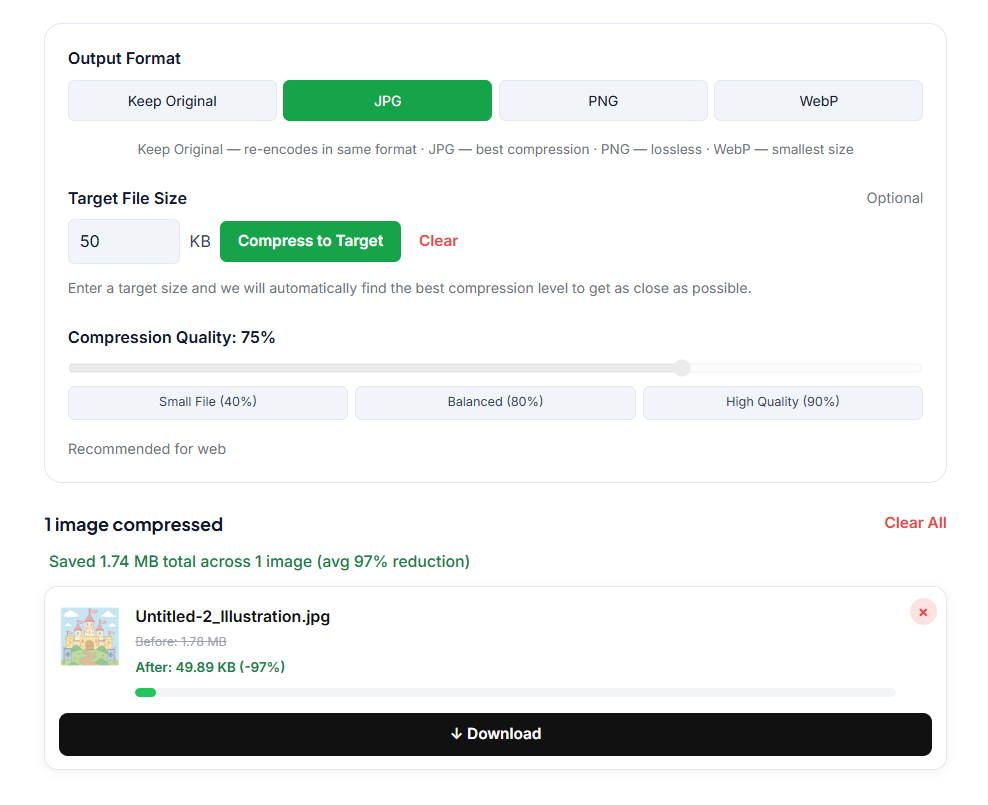
- Emailing to yourself (does not compress reliably enough) What actually works is using a dedicated tool that lets you control the compression level and shows you the exact output file size before you download. Our Image Compressor has target size feature by which you can hit your target file number and it will give you the accurate results.
📎 Need to get your photo under 50KB? Our free Image Compressor now has a Target File Size feature, just type 50KB and it compresses automatically. No signup needed.
Step 3: Check the Output Carefully
After compressing, do not just check the file size. Also check:
- The photo is still clearly recognizable (not blurry or pixelated)
- The file size falls within the required range (not just under the maximum, some portals also have a minimum like "must be between 20KB and 50KB")
- The format is correct (save as JPG not PNG)
If the photo looks too blurry after compressing to 50KB, the starting photo was probably not high enough resolution. Try taking a new photo in better lighting and with a higher resolution setting, then compress that version instead.
What If the Portal Still Rejects It?
Sometimes even a correctly compressed photo gets rejected. Common reasons include:
- Wrong dimensions (many portals also specify pixel dimensions like 200x200 or 413x531)
- Background not white enough
- Face not centered properly
- File named incorrectly (some portals require specific file naming)
If you are hitting dimension restrictions alongside the file size limit, resize the photo to the required pixel dimensions first, then compress it. This way the file size drops naturally because a smaller image has less data.
A Note on Signature and Document Uploads
Many government portals that ask for a photo under 50KB also ask for a signature scan under 20KB or 30KB. The same approach works. Scan or photograph your signature on white paper, then compress it using the same tool. Signatures compress very well because they are mostly white space with a small amount of dark ink.
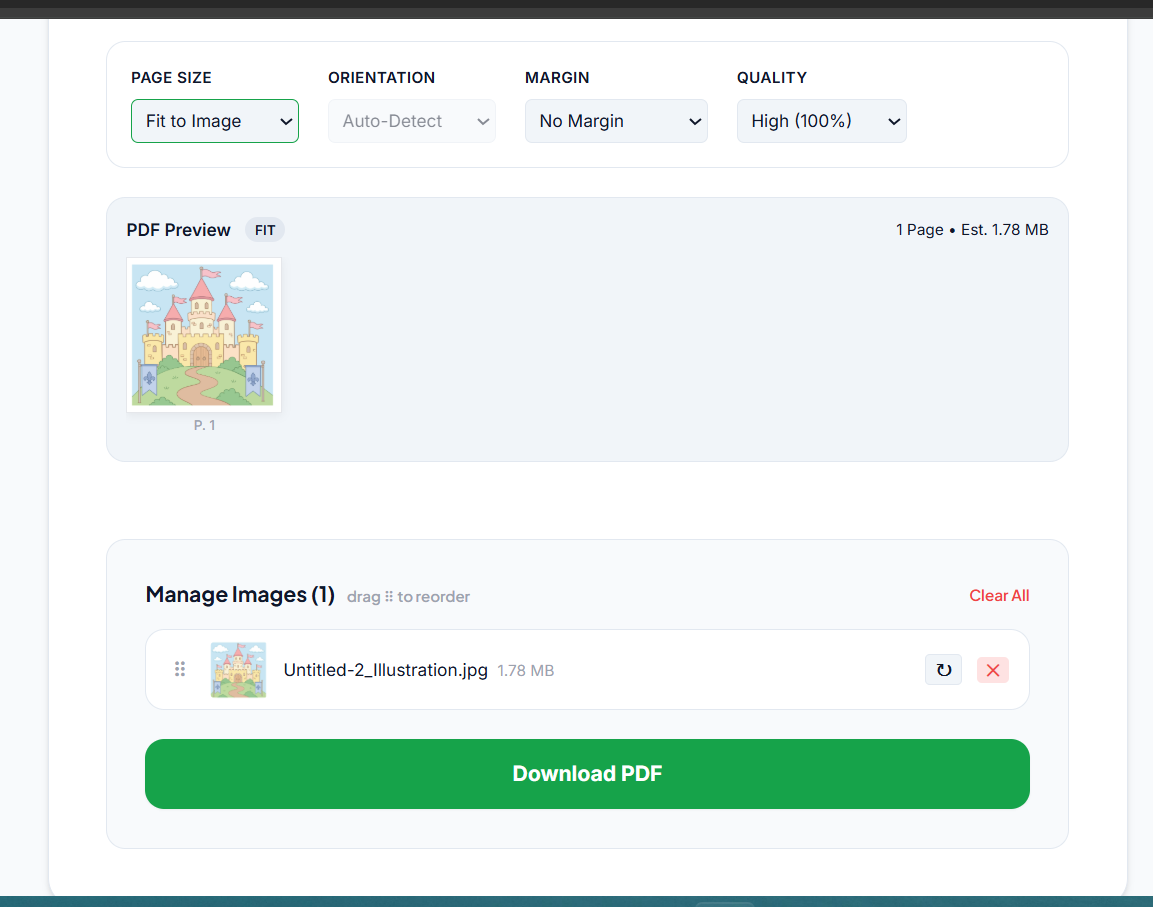
If the portal asks for documents in PDF format instead of JPG, you can convert your compressed image using our Image to PDF converter after compressing it.
Frequently Asked Questions
Can I compress a passport photo to under 50KB without it looking bad? Yes, if your starting photo is good quality. A clear, well-lit photo can be compressed to 50KB and still look sharp enough for official use. The key is starting with the best quality original you can.
What is the difference between compressing to 100KB vs 50KB? At 50KB the compression is more aggressive, so there is slightly more quality loss. For most application photos this is still acceptable because the reviewer just needs to verify your identity, not print a high-resolution copy.
My photo is 200KB. Can I compress it to under 50KB? Yes. Going from 200KB to 50KB is a 75% reduction, which is very achievable with a good compression tool without making the photo unacceptable for official use.
What pixel size should a passport photo be for online applications? This varies by country and portal, but common dimensions are 200x200 pixels, 413x531 pixels (standard passport size), or 600x600 pixels. Always check the specific portal requirements.
Quick Recap
For strict 50KB limits, start with a clear passport-style photo on a plain background, use a dedicated compression tool to hit the exact size range required, and double-check both the file size and the photo clarity before submitting. Most portals also have minimum size requirements, so make sure you are within the full range, not just under the maximum.
Related Articles
- How to Compress an Image Under 100KB for College, Job and Government Forms
- How to Compress an Image Under 20KB
- JPG vs PNG: Which Format to Use for Online Applications
- How to Convert Photos to PDF for Applications