
When I applied for a scholarship, I hit one of the most frustrating parts of the process. The application portal kept rejecting my photo because it was "too large," even though it was a perfectly normal photo from my mobile. The limit was something like 100KB, and my photo was over 2MB. If you've run into this too, here's the simple fix.
Why Forms Have These Size Limits
Most government, university, and job application portals are built on servers designed to handle thousands of submissions at once. To avoid overload, they cap file sizes strictly, often between 20KB and 200KB for photos, and sometimes even smaller for signatures or ID documents.
The problem is that modern smartphone cameras produce photos far larger than these limits. Simply resizing the image dimensions (like in basic photo editors) often isn't enough. You need proper compression that reduces file size while preserving image quality.
Common File Size Requirements by Application Type
Different applications have different limits. Here's a quick reference:
| Application Type | Common Size Limit |
|---|---|
| Job Applications | 50KB to 200KB |
| College Admissions | 100KB to 500KB |
| Scholarships | 50KB to 200KB |
| Government Forms | 20KB to 100KB |
| Passport Photos | 20KB to 100KB |
Knowing the exact limit before you start saves a lot of back-and-forth.
Step 1: Start With a Good Photo
Before compressing, make sure your photo is:
- Clear and well-lit (especially important for ID-style photos with a plain background)
- Cropped to the correct dimensions if the form specifies them (commonly passport-size photos)
- In the correct format, most forms require JPG/JPEG, though some accept PNG
If your original photo is blurry or low-resolution, compression won't fix that. Always start with the best quality version you have.
Step 2: Compress It the Right Way
This is where most people run into trouble. Common approaches that don't work well include:
- Sending the photo through messaging apps hoping they compress it enough (results are inconsistent and you can't control the final size)
- Using basic resize tools that change dimensions but don't reduce file size much
- Repeatedly saving the image at lower quality in basic editors, which often makes faces look blocky or pixelated
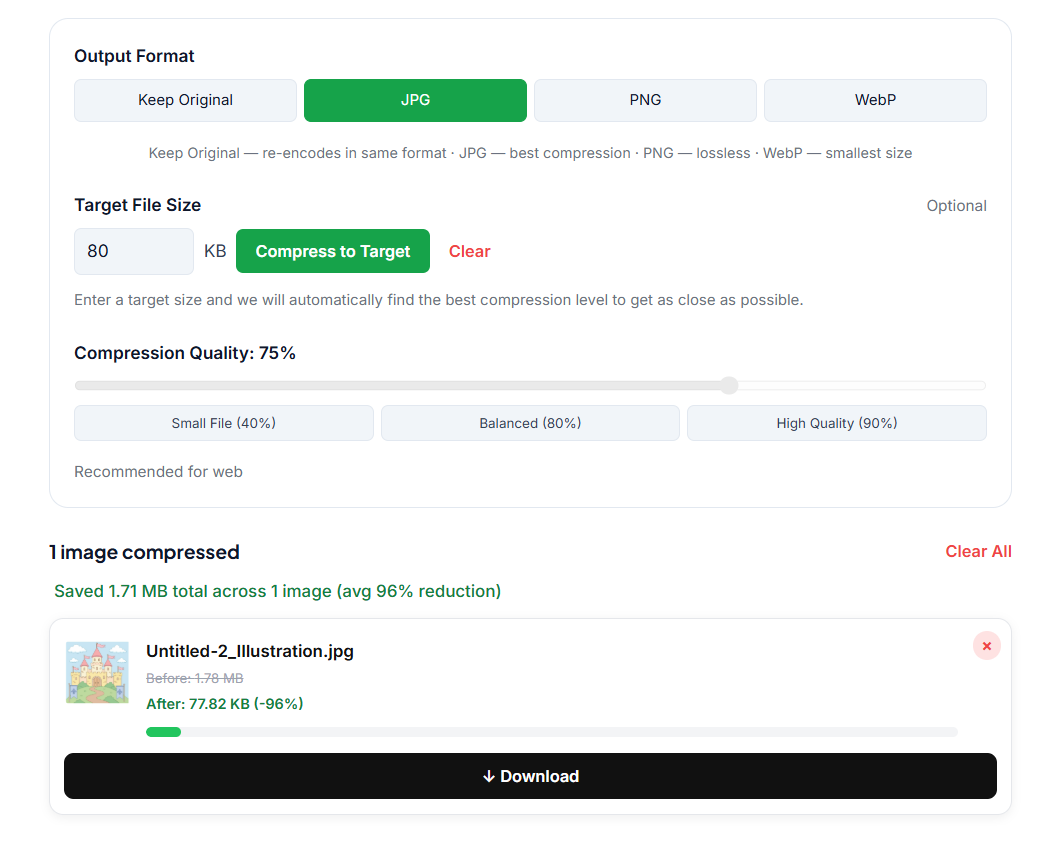
The more reliable approach is using a dedicated image compression tool where you can see the before-and-after file size and adjust compression until it fits. Our Image Compressor does exactly this. Upload your photo, reduce photo size to 100KB or less, and download it instantly, directly in your browser with no installation needed.
🗜️ Need to reduce your photo below 100KB? Try our free Image Compressor, no signup, no install, works instantly in your browser.
Step 3: Match the Exact Requirement
Different forms have different limits. Some ask for photos between 10KB and 50KB, others allow up to 200KB. After compressing, check the file size against the exact range specified on the form. If it's still slightly over, run it through the compressor again with a bit more compression.
If you need to compress a jpg to 100KB or reduce it further to 50KB or 20KB, simply increase the compression level. Most tools let you do this in one click.
A Tip for Signatures and ID Documents
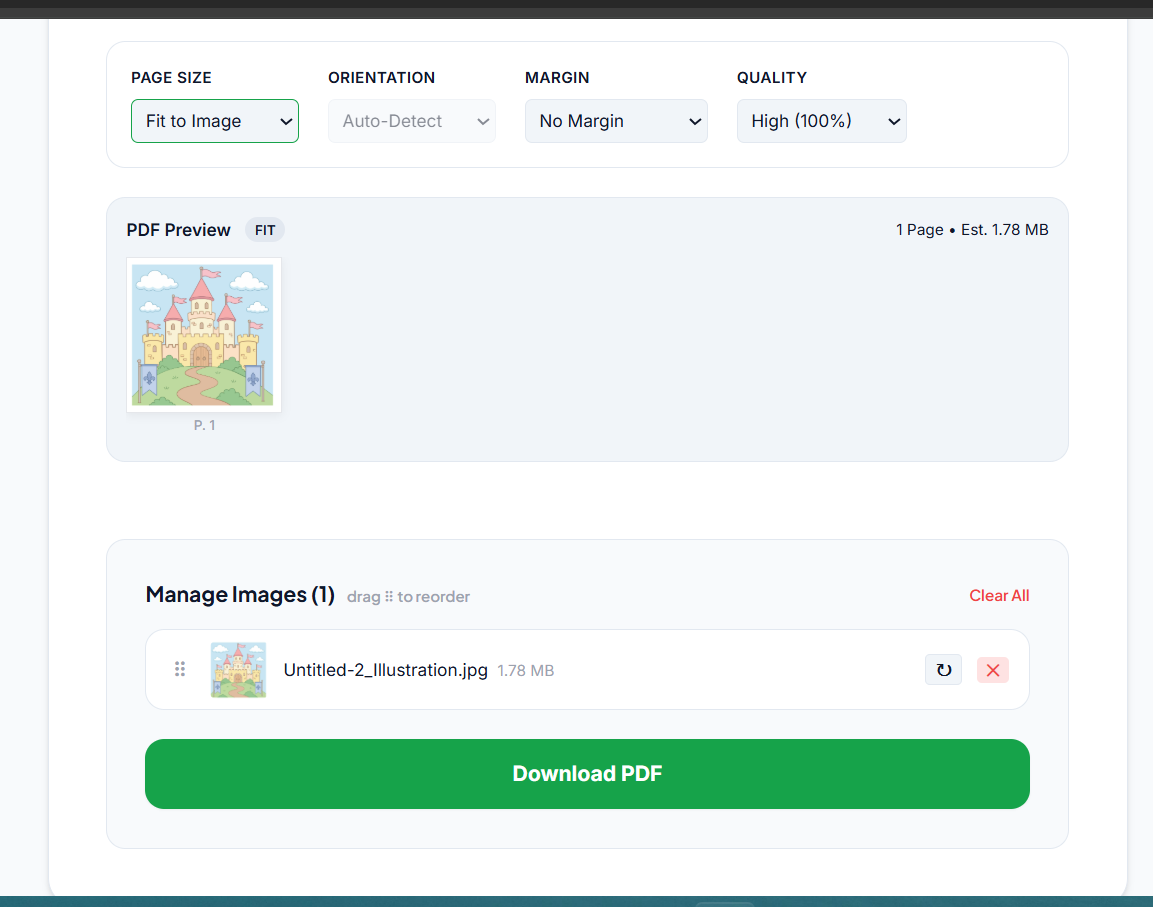
The same approach works for signature scans and ID/passport copies, which often have even stricter limits, sometimes as low as 10KB to 30KB. Photograph the document clearly, then compress it the same way. Just double-check the format requirement, since some forms want documents as PDF rather than JPG.
If you need to submit a PDF instead, you can also use our Image to PDF converter to convert your compressed photo directly.
Frequently Asked Questions
Can I compress a photo to exactly 100KB? Yes. Most image compression tools let you reduce file size while maintaining acceptable quality. If your image is still over 100KB after compression, apply slightly more compression until it meets the requirement.
What image format is best for application forms? JPG/JPEG is the most widely accepted format because it provides a good balance between quality and file size. Avoid PNG for application photos unless specifically required, as PNG files tend to be larger.
Will compressing an image reduce quality? Some quality loss is expected, but modern compression tools can reduce file size by 60 to 80% while keeping the image clear enough for forms and applications. The key is not to over-compress. Reduce just enough to meet the size limit.
What is the image size for online forms and job applications? Most job applications accept photos between 50KB and 200KB. Government forms tend to be stricter, often requiring passport photos under 100KB or even 20KB.
Quick Recap
Start with a clear photo in the correct format, use a proper compression tool that shows you the output file size, and verify against the exact size range mentioned on your form. Once you know this process, it takes less than a minute.
When I figured this out, the whole thing took less than a minute. No more wasting time on "file size exceeds limit" errors right when you're trying to submit something important.
Related Articles
- How to Compress an Image Under 50KB for Visa and Government Forms
- How to Compress an Image Under 20KB
- JPG vs PNG: Which Format to Use for Online Applications
- How to Convert Photos to PDF for Applications